Message Attachments
Whilst OBBS does support an upload facility which works fine, it doesn't work in quite the same way as a 'modern' BBS as once the user has uploaded a file no one else can access it until the Sysop manually creates a menu entry to access the file. In some ways this is beneficial for example the Simcity competition I ran back in February which allowed BeeBS to act as a dropbox for save files, however not great is a user wanted to upload something for other users to be able to access.
Due to the nature of BeeBS I would have thought that the most likely use for uploads is images, text files, ANSI or Teletext frames being attached to messages. The main constraint will be file size as despite BeeBS now running at 19200 baud it is still rather slow due to relying on x-modem 128 byte chunks.
When a user attaches a file to a message BeeBS adds said file to a directory called ATT.n, where n is the message number. All files are numbered 1 -5 (theoretically the file limit could be 255 attachments per message, but that seemed a bit much). Once each file is uploaded its description (entered by the user) is stored in a info file.
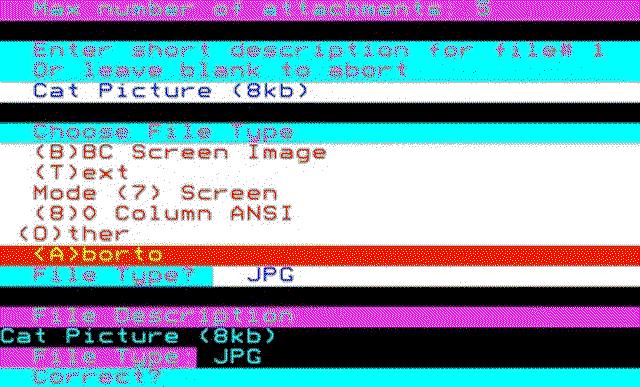
As part of this process the user is asked for the file type (which can be anything) however certain file types offer a preview function where BeeBS will display them in the terminal session providing your terminal client supports the format i.e. you cannot view a Mode 7 graphic in an ANSI terminal or an ANSI graphic in a Mode 7 terminal.

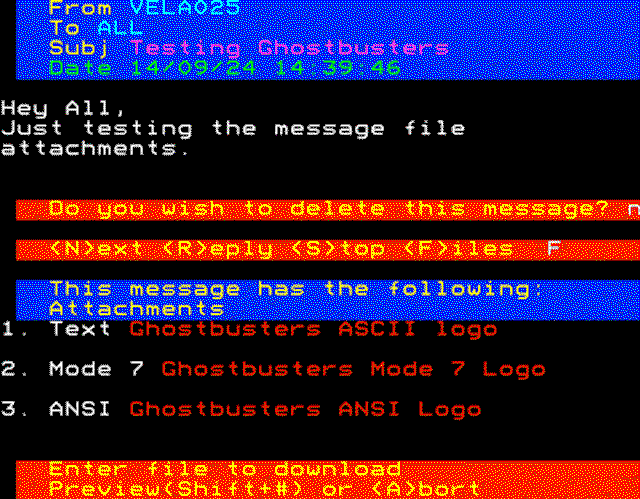
Holding Shift + the attachment number will display the preview, unfortunately due to the Beebs key mapping this can cause problems with the file stored in slot 3, as Shift + 3 on a Beeb produces # not B#, so should you wish to preview file 3 you will need to enter # not B#.

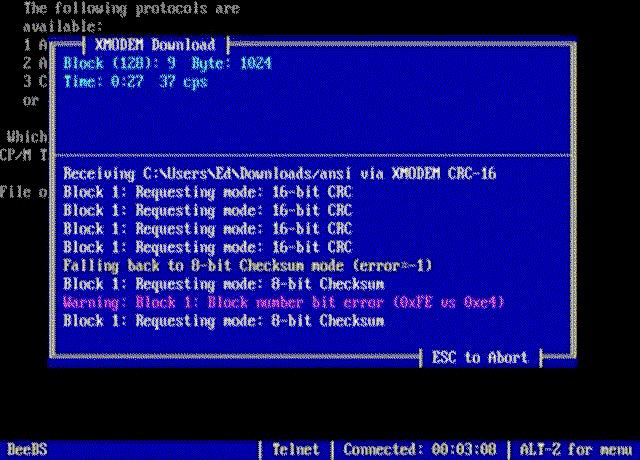
As for downloading the attachments SyncTerm does work with x-modem 128 byte transfers but it can be temperamental working with OBBSs timings. Muffin Term has no problems and the BBC Micros comms software offerings work great too. For context 8kb takes around 2 min to download/upload.